

Three ways to do it
KTAMIZEN can put a quote on your Lock Screen in three ways. Use one, or all of them together.
- A Lock Screen widget, right under the time, with a new quote through the day.
- Notifications, from 3 to 12 quotes a day at the hours you pick, waiting on the Lock Screen until you read them.
- A wallpaper, one quote you love set as the background of your iPhone.
Add the Lock Screen widget
- Download KTAMIZEN and open it once.
- Touch and hold the Lock Screen until Customize appears, then tap it.
- Choose Lock Screen and tap the row of widgets under the time.
- Find KTAMIZEN and tap the widget to add it, then tap Done.
Get quotes as notifications
In the app, pick how many quotes you want a day and between which hours. They are scheduled on your iPhone, so they arrive even with no signal, and there is nothing to tap or answer. How it works, step by step, is in Daily motivation notifications.
Save a quote as your wallpaper
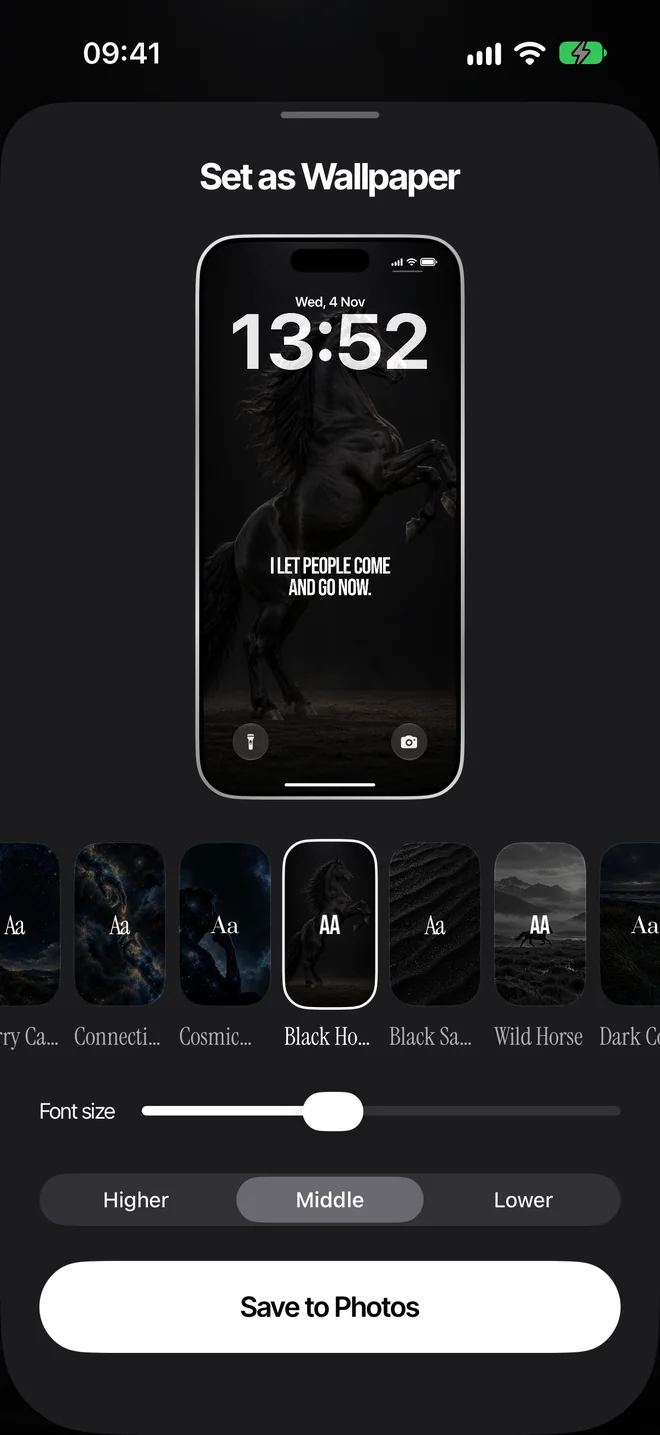
- In KTAMIZEN, open a quote you like and pick a theme for it.
- Save it as a wallpaper. It goes to your Photos, sized for your iPhone.
- Touch and hold the Lock Screen, tap the + button and choose Photos.
- Pick the quote and tap Add.
With Pro the wallpaper is saved in full quality and without the KTAMIZEN watermark.
Keep it readable
The time and widgets sit on top of your wallpaper. Themes with a dark photo, like Red Sea or Black Horse, keep both the quote and the clock easy to read. If you use a Lock Screen widget too, a quiet wallpaper works best.
You can also add quote widgets to your Home Screen. See Motivational quote widgets for iPhone.
Questions
Can I have a different quote on my Lock Screen every day?
Yes. The Lock Screen widget and the notifications bring new quotes through the day. A wallpaper stays the same until you change it.
Does it cost anything?
KTAMIZEN is free to download, with widgets, notifications and 9 themes included. Pro adds every theme, more fonts and full quality wallpapers without the watermark.
Will notifications show on the Lock Screen?
Yes, if notifications for KTAMIZEN are allowed in iPhone Settings, then Notifications, then KTAMIZEN.